Has your Facebook business page switched over to the new Pages experience yet? Wondering what’s changing and how it will impact you?
In this article, you’ll learn how Facebook’s latest Pages experience works and what you need to update so your organic Facebook business presence makes the right impression.
What Is the New Pages Experience for Facebook Pages?
In February 2021, Facebook announced that the platform would begin rolling out a the new format for business pages. Known simply as the new Pages experience, this redesigned business product replaces the classic page experience by updating everything from user access and page management to layouts and feeds.
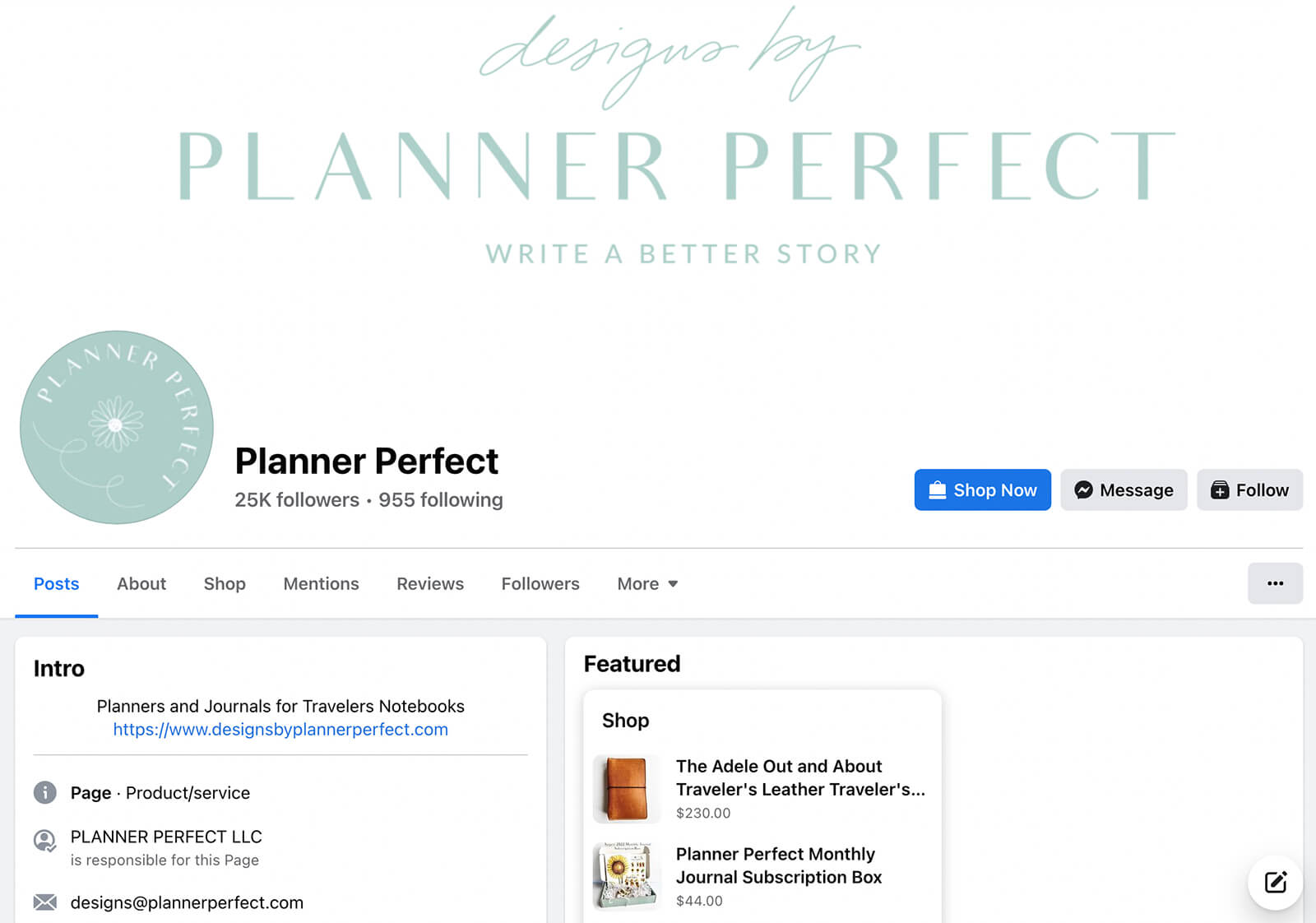
For example, the @PlannerPerfect Facebook page shows the new experience. The page has a short and sweet intro, the Featured section highlights shoppable items, and users can follow (rather than like) the page.
#1: How to Manage Facebook Business Pages Using the New Pages Experience: 5 Changes
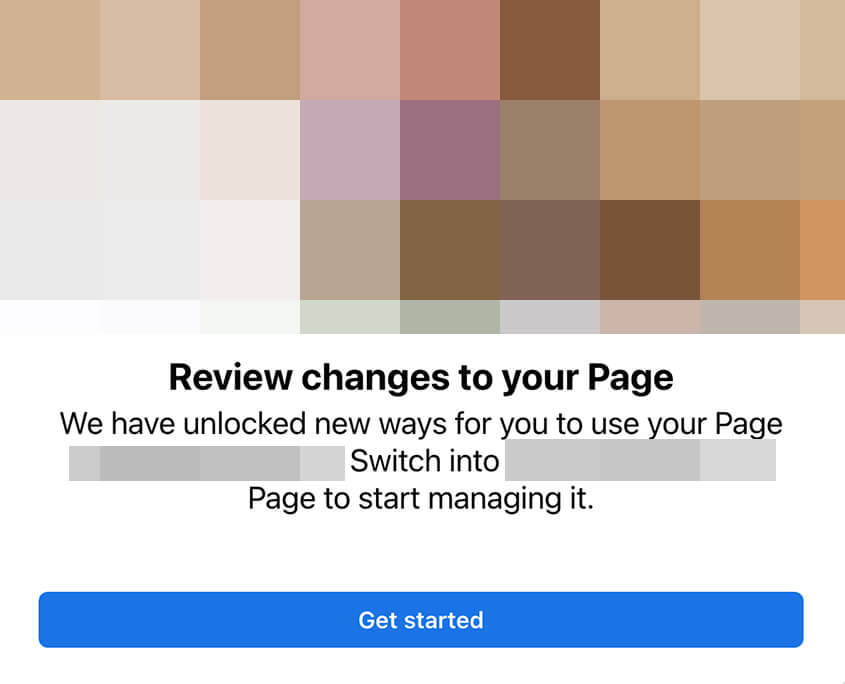
In October 2022, Meta announced that all small businesses now have access. If you manage a Facebook page for a small or midsized business, you’ve likely seen a pop-up similar to the one below, confirming that your page has automatically switched over.
First, it’s important to note that if your page still uses the classic Pages experience, there isn’t a way to access the update on your own. Meta automatically moves pages to the new Pages experience so it isn’t possible to request an update or prompt one manually.
Once your page switches over, you can continue to view it from its existing public URL—facebook.com/@username. However, you can no longer manage the page by logging into your personal profile and navigating to that URL.
Instead, social media marketers now have two options for managing Facebook pages. For many social media marketers, Meta Business Suite is still the best option for handling engagement and scheduling content.
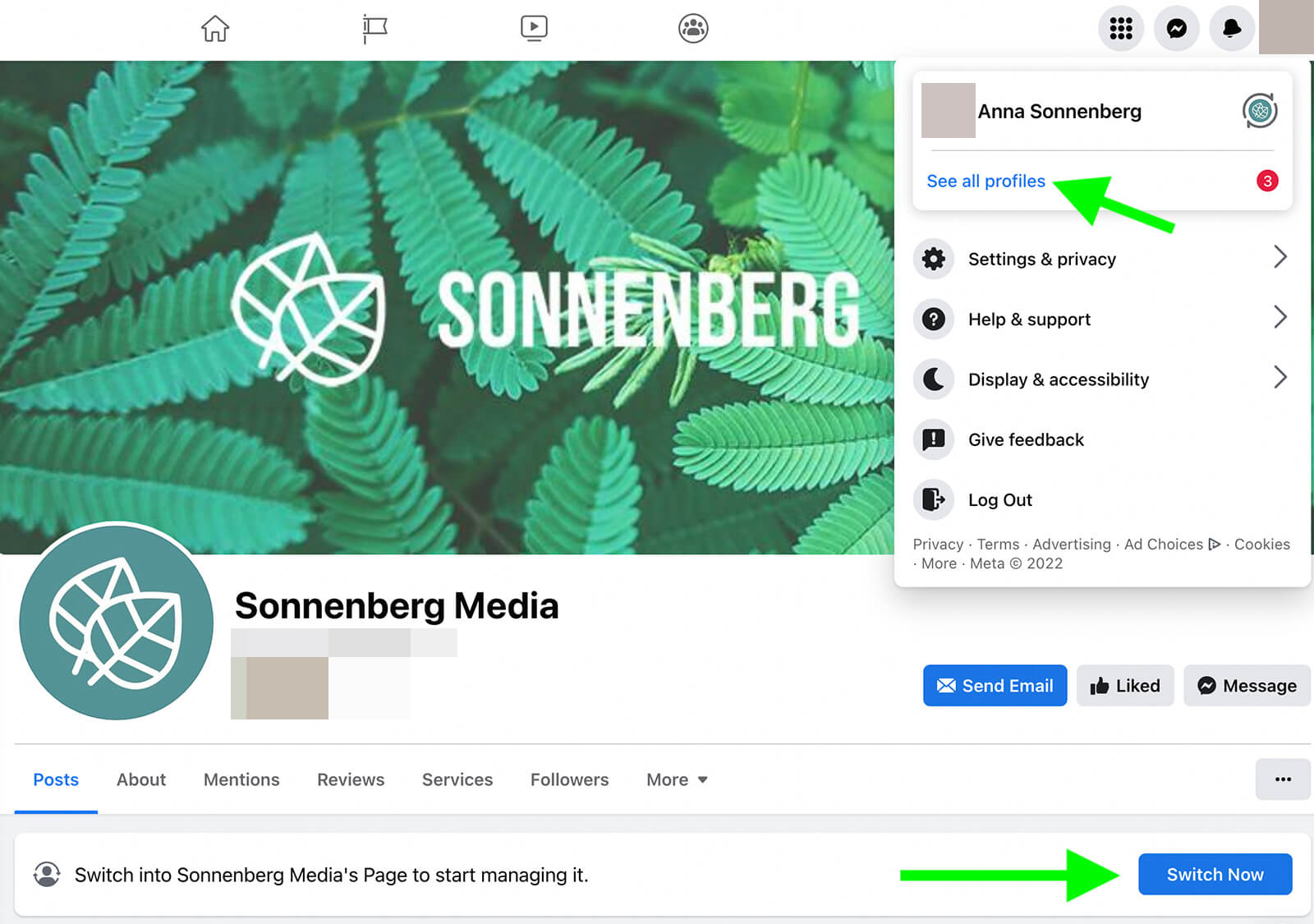
But when you need to configure page settings or engage with mentions, you have to switch into the business page rather than using your personal profile. To do that, open Facebook, click your profile photo, and select See All Profiles. When the list of your available profiles and pages appears, click the one you want to use. Alternatively, you can go to your business page URL and click the Switch Now button.
After your page switches over, you may have an option to return to the classic Pages experience. Open the menu under Edit Page and click Switch to Classic Pages. Note that if you switch back, any content you published under the new experience will be removed from your page.
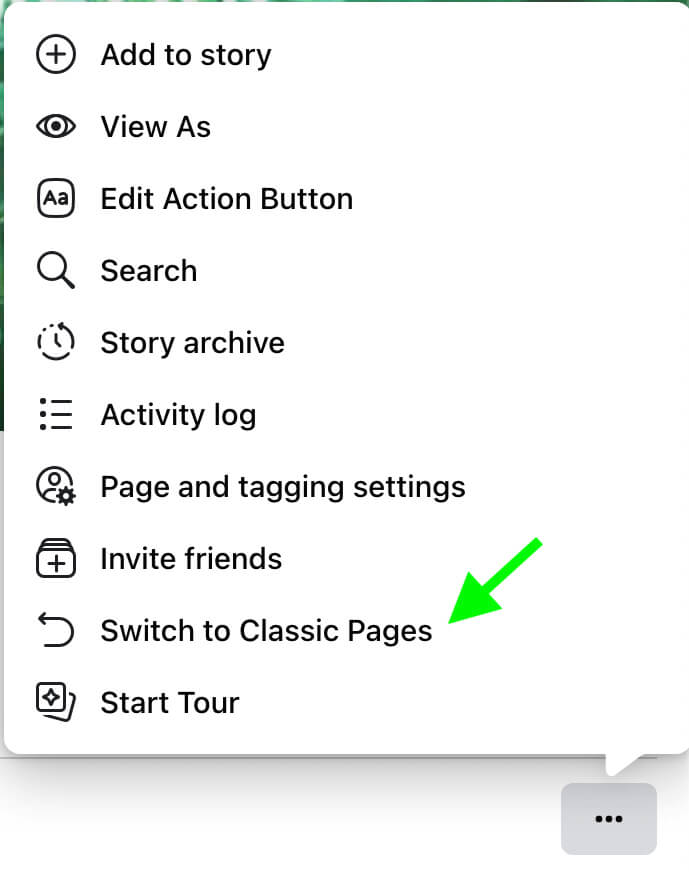
Since you can’t manage the new Pages experience pages from your personal profile, it’s important to make sure you and your team have appropriate access to the page so you can use essential management tools. Let’s walk through the tools and access options available for the new Pages experience pages.
How to Re-Assign Facebook Page and Task Access for Your Team in the New Pages Experience
To configure admin access for your page, open the professional dashboard, which you can find in the Professional Tools list in the left-hand sidebar. Under the Your Tools drop-down, select Page Access.
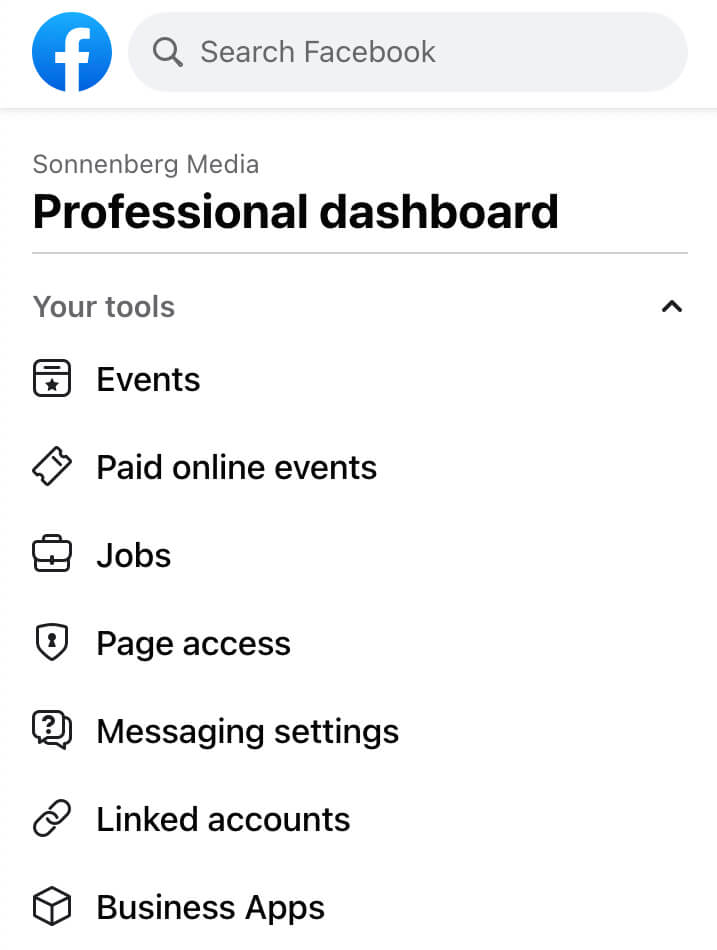
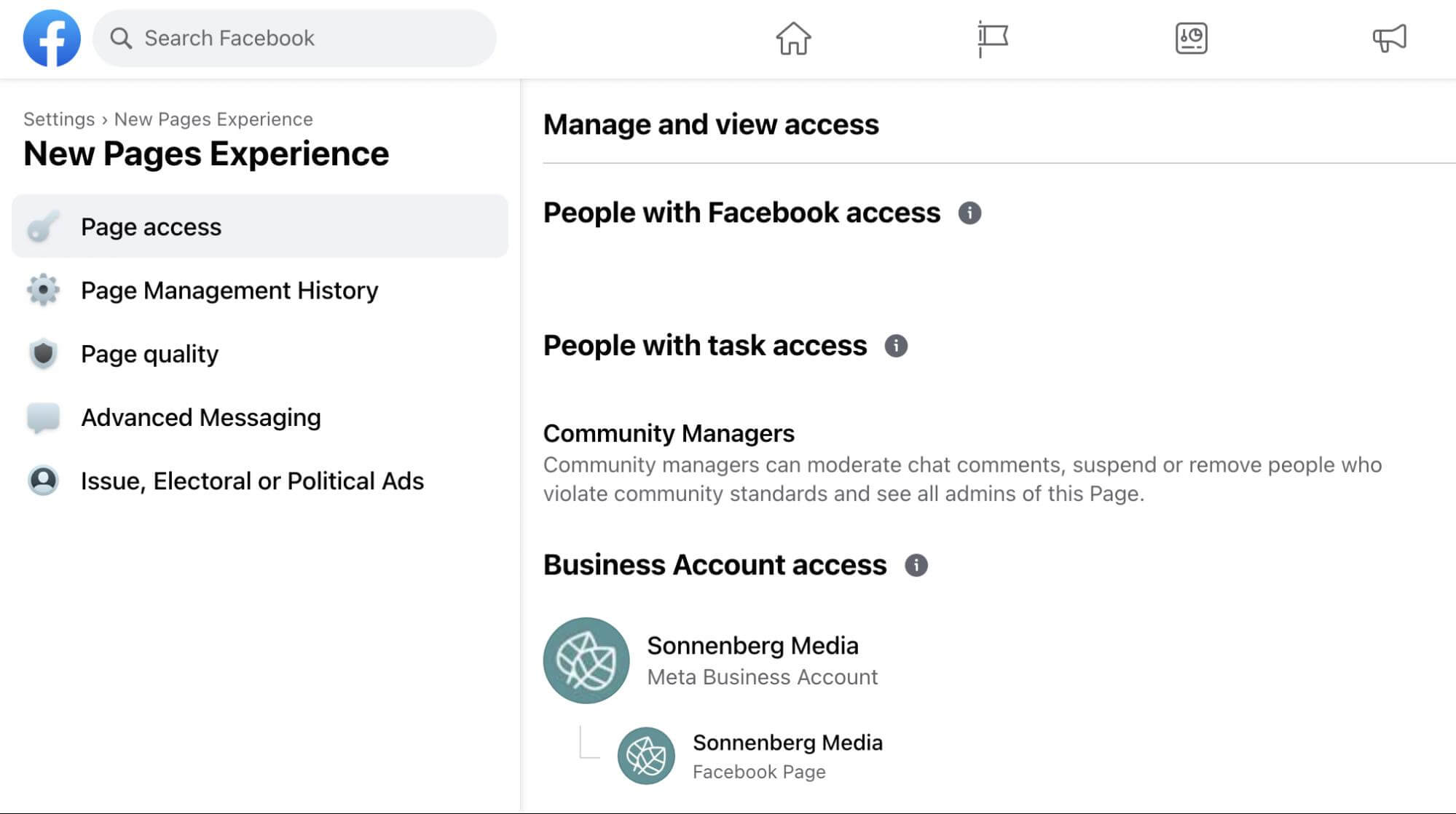
Here, you can see all of the people and business managers who have access to your page. Most new Pages experience pages have three levels of access:
- People with Facebook access can switch into the page or manage it with tools like Business Suite or Creator Studio.
- People with task access can’t switch into it on Facebook but they can manage it in Business Suite.
- Business accounts have access to the page via Business Manager, where they can delegate people to manage the page.
How to Adjust Page Settings and Connected Accounts in the New Pages Experience
Although the new Pages experience has fewer options for page settings, you can make select adjustments by opening the settings panel for your page. From there, you can go to the Stories and Reels tabs to review visibility and sharing settings for your content.
Source: socialmediaexaminer.com by


